
Web Crawling Risks arise throughout the data acquisition lifecycle, from anti-bot measures to cost escalation. Many industries rely on crawling for price monitoring, search engine data, and content aggregation. However, without proper risk mitigation, projects often fail or incur excessive maintenance overhead.
For official security guidance, see MDN Web Security Documentation and OWASP Anti-Automation Cheat Sheets for best practices.
However, even with basic evasion techniques in place, Web Crawling Risks such as IP blocking, fingerprinting, and compliance exposure require continuous adaptation and resources.
This guide systematically analyzes Web Crawling Risks across five core dimensions:
- Operational and infrastructure cost expansion
- Anti-bot escalation and technical countermeasures
- IP reputation and fingerprinting risks
- Data quality drift caused by DOM structure changes
- Legal and compliance exposure
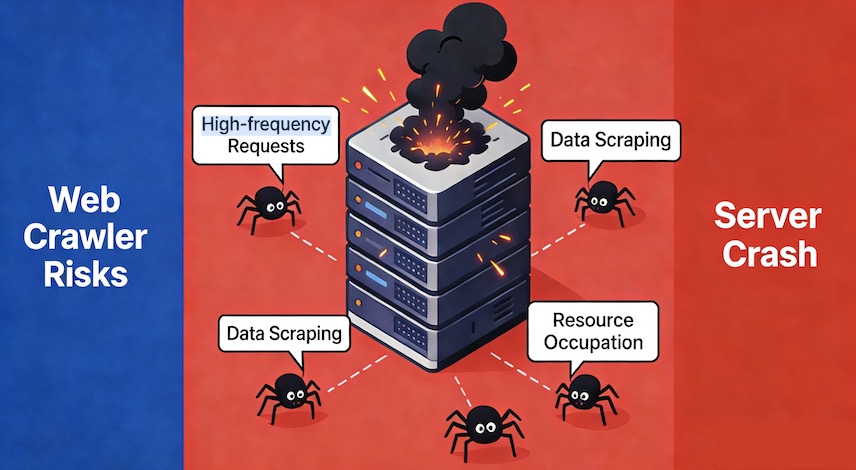
Core Web Crawling Risks: Anti-Bot, Compliance, Data Quality, and Cost
1. Web Crawling Risks: Anti-Bot Escalation and Maintenance Burden
Among all Web Crawling Risks, anti-bot systems represent the most dynamic and resource-intensive challenge. Major platforms such as:
continuously iterate anti-automation frameworks, forcing frequent crawler adjustments and increasing long-term maintenance overhead.
Common anti-bot mechanisms include:
- IP blocking and blacklisting
- User-Agent filtering
- Cookie-based rate limits
- CAPTCHA verification
- JavaScript rendering validation
- AJAX signature verification
- Device/browser fingerprinting
- CSRF token enforcement
- Daily download quotas
Failure to adapt leads to request interception, 403/503 responses, forced re-authentication, or complete infrastructure blocking.
1.1 Web Crawling Risks: IP Blocking and Blacklisting
Servers detect abnormal traffic patterns based on:
- Requests per time window
- Concurrent connections
- Traffic spikes
Blocking methods:
- Temporary throttling
- Permanent blacklisting
- Subnet-level blocking
- WAF or cloud firewall enforcement
Access symptoms:
- 403 Forbidden
- 503 Service Unavailable
- Connection timeouts
1.2 User-Agent Blocking
Default crawler identifiers (e.g., python-requests, Scrapy) are often denied via regex matching or UA blacklists.
Mitigation requires:
- Browser-like header simulation
- UA rotation strategies
- Alignment with regional language headers
1.3 CAPTCHA Escalation
CAPTCHA systems such as:
are triggered by abnormal access behavior and fingerprint inconsistencies.
Types include:
- Image CAPTCHAs
- Slider verification
- Behavioral verification
- Invisible risk scoring
Impact: Data pipelines stall unless solved or bypassed, increasing operational complexity.
1.4 JavaScript Rendering and SPA Frameworks
Single-page applications built with:
- Vue
- React
- Angular
render data client-side. Static HTML crawlers fail because the target data is absent from source HTML.
Mitigation:
- Headless browsers (Selenium / Playwright)
- Reverse engineering AJAX endpoints
1.5 CSRF Protection and Token Verification
Modern websites bind POST requests to short-lived CSRF tokens. Without correct session binding, requests fail with 403 errors.
This significantly increases crawler logic complexity and introduces token lifecycle management requirements.
1.6 DDoS and WAF-Level Traffic Filtering
Cloud-level traffic protection systems classify high-frequency crawler traffic as malicious.
Typical providers:
Distributed crawler clusters often trigger secondary verification or traffic scrubbing.
Practical Example: Simulated Browser Request Strategy
```python
import requests
import time
import random
from requests.adapters import HTTPAdapter
from urllib3.util.retry import Retry

# Build a session and set retry strategy to avoid abrupt termination on single failure
session = requests.Session()
retry_strategy = Retry(
    total=3,  # Total retry attempts
    backoff_factor=2,  # Retry interval (2s, 4s, 8s)
    status_forcelist=[429, 500, 502, 503, 504]  # Status codes triggering retries (429 = Too Many Requests)
)
adapter = HTTPAdapter(max_retries=retry_strategy)
session.mount("https://", adapter)
session.mount("http://", adapter)  # Adapt to both HTTP and HTTPS requests

# Set compliant request headers to simulate a Chrome browser (overseas version)
headers = {
    "User-Agent": "Mozilla/5.0 (Windows NT 10.0; Win64; x64) AppleWebKit/537.36 (KHTML, like Gecko) Chrome/120.0.0.0 Safari/537.36",
    "Accept": "text/html,application/xhtml+xml,application/xml;q=0.9,*/*;q=0.8",
    "Accept-Language": "en-US,en;q=0.5",  # Overseas language setting
    "Referer": "https://example.com/"  # Simulate source page
}

# ========== New: Proxy IP Configuration ==========
# Proxy pool (replace with your valid proxy IPs in format: protocol://IP:port)
# It is recommended to distinguish HTTP and HTTPS proxies; repeat configurations if proxies support both protocols
PROXY_POOL = [
    # Example format; replace with real valid proxies
    {"http": "http://123.45.67.89:8080", "https": "https://123.45.67.89:8080"},
    {"http": "http://98.76.54.32:3128", "https": "https://98.76.54.32:3128"},
    {"http": "http://111.222.333.444:8888", "https": "https://111.222.333.444:8888"},
]

def get_random_proxy():
    """Randomly select a proxy from the proxy pool"""
    if PROXY_POOL:
        return random.choice(PROXY_POOL)
    return None  # Return None if proxy pool is empty (use local IP)

def crawl_example_page(url):
    try:
        # Get random proxy
        proxy = get_random_proxy()
        print(f"Proxy used for this request: {proxy if proxy else 'Local IP'}")

        # Send request (include proxy, timeout, and request headers)
        response = session.get(
            url,
            headers=headers,
            proxies=proxy,  # Pass proxy configuration
            timeout=10,     # Timeout (avoid proxy freezing)
            verify=False    # Ignore SSL certificate verification (some proxies have certificate issues; use cautiously in production)
        )

        # Verify response status code to avoid invalid data
        response.raise_for_status()  # Actively trigger exceptions for 4xx/5xx status codes
        print("Crawling successful. Page content length:", len(response.text))
        return response.text

    except requests.exceptions.ProxyError as e:
        print(f"Proxy connection failed: {str(e)}. Please check if the proxy IP is valid.")
        return None
    except requests.exceptions.Timeout as e:
        print(f"Request timed out (proxy/target website): {str(e)}")
        return None
    except requests.exceptions.HTTPError as e:
        print(f"Crawling failed. Status code: {e.response.status_code}")
        return None
    except Exception as e:
        print(f"Crawling exception: {str(e)}")
        return None

# Control request frequency: 3-5 seconds interval per crawl (simulate human browsing)
if __name__ == "__main__":
    for i in range(5):
        target_url = f"https://example.com/page/{i}"
        print(f"\n===== Starting crawl for page {i+1}: {target_url} =====")
        crawl_example_page(target_url)
        time.sleep(3 + i)  # Dynamically adjust intervals to reduce detection probability
```
However, even with retry strategies, proxy rotation, and browser header simulation, anti-bot upgrades require ongoing script adaptation—one of the most persistent Web Crawling Risks.
2. Web Crawling Risks: IP Reputation and Fingerprinting Risks
IP reputation is central to Web Crawling Risks. Once IP ranges are flagged as automation traffic, access becomes unstable.
Public cloud IP ranges (e.g., AWS/GCP) are commonly monitored and rate-limited.
Cloud providers include:
Fingerprint correlation techniques include:
- Browser fingerprinting
- Device fingerprinting
- TCP/IP fingerprinting
Even rotating IPs may not prevent blocking if fingerprint signatures remain consistent.
Selenium Fingerprint Simulation Example
from selenium import webdriver
from selenium.webdriver.chrome.options import Options
import time

def create_fingerprint_chrome():
    chrome_options = Options()
    # Disable automation identifiers to avoid detection as a Selenium crawler
    chrome_options.add_argument("--disable-blink-features=AutomationControlled")
    # Modify browser language (English) to align with overseas scenarios
    chrome_options.add_argument("--lang=en-US")
    # Disable image loading to improve crawling efficiency and reduce fingerprint characteristics
    chrome_options.add_argument("--blink-settings=imagesEnabled=false")

    # Configure overseas proxy IP (US node; example proxy—replace with valid one)
    proxy = "185.199.108.153:8080"  # Example US public proxy (for demonstration only)
    chrome_options.add_argument(f"--proxy-server=http://{proxy}")

    # Modify browser fingerprint-related configurations
    driver = webdriver.Chrome(options=chrome_options)
    # Execute JS to modify navigator properties and further hide automation traces
    driver.execute_script("""
        Object.defineProperty(navigator, 'webdriver', {
            get: () => undefined
        });
        Object.defineProperty(navigator, 'platform', {
            get: () => 'Win32'
        });
    """)
    return driver

# Test crawling an overseas website (LinkedIn example page)
driver = create_fingerprint_chrome()
try:
    driver.get("https://www.linkedin.com/jobs/")
    time.sleep(5)  # Wait for page loading
    print("Page title:", driver.title)
finally:
    driver.quit()

# Note: In practical use, select compliant overseas proxy service providers to avoid using malicious proxies that damage IP reputation
3. Web Crawling Risks: Data Quality Drift (DOM Structure Changes)
Frequently updated platforms include:
Data quality drift is a critical yet underestimated Web Crawling Risk. DOM updates cause selector failures and silent data corruption.
Risk impact:
- Incorrect field extraction
- Null values
- Schema mismatches
- Inconsistent datasets
Mitigation:
- Multi-attribute selector matching
- Fallback parsing logic
- Automated validation tests (pytest)
- Monitoring extraction success rate
from bs4 import BeautifulSoup
import requests

# Simulate crawling an eBay product page (example URL)
url = "https://www.ebay.com/itm/385876294528"
headers = {
    "User-Agent": "Mozilla/5.0 (Macintosh; Intel Mac OS X 10_15_7) AppleWebKit/537.36 (KHTML, like Gecko) Chrome/120.0.0.0 Safari/537.36",
    "Accept-Language": "en-US"
}
response = requests.get(url, headers=headers)
soup = BeautifulSoup(response.text, "html.parser")

# Method 1: Fixed DOM path extraction (vulnerable to structural changes, high risk)
try:
    # This path may fail if the DOM structure is updated
    product_name_bad = soup.find("h1", id="itemTitle").get_text(strip=True)
    print("Product name (fixed path extraction):", product_name_bad)
except Exception as e:
    print("Fixed path extraction failed:", str(e))

# Method 2: Multi-feature matching extraction (combines class names, tags, and text features for stronger robustness)
def extract_product_name_robust(soup):
    # Attempt to match multiple possible element features (adapt to minor DOM changes)
    candidates = [
        soup.find("h1", class_=lambda c: c and "product-title" in c.lower()),
        soup.find("h1", attrs={"data-testid": "item-title"}),
        soup.find("div", class_="it-ttl").find("h1") if soup.find("div", class_="it-ttl") else None
    ]
    # Filter valid results
    for candidate in candidates:
        if candidate and candidate.get_text(strip=True):
            return candidate.get_text(strip=True)
    return "Failed to extract product name (DOM structure may have changed)"

product_name_good = extract_product_name_robust(soup)
print("Product name (robust extraction):", product_name_good)
4. Compliance and Legal Exposure
In addition, compliance represents one of the highest-impact Web Crawling Risks.
Core regulatory frameworks include:
Potential consequences:
- Fines up to 4% of annual global turnover (GDPR)
- Civil lawsuits
- Criminal liability (CFAA)
- Contract breach disputes
Compliance best practices:
- Conduct legal audits before scaling
- Respect robots.txt protocol
- Avoid personal data scraping
- Implement anonymization workflows
5. Web Crawling Risks: Operational Costs: People, Infrastructure, Monitoring

Operational expansion is one of the most underestimated Web Crawling Risks.
Costs include:
5.1 Personnel
- Senior crawler engineers
- O&M engineers
- Data validators
- Compliance consultants
Overseas anti-bot adaptation increases labor intensity.
5.2 Infrastructure
Typical cloud services:
Cost drivers:
- Overseas node deployment
- Residential proxy bandwidth
- Storage (e.g., S3)
- Data egress bandwidth
Large-scale crawling can result in thousands to tens of thousands of USD monthly expenditure.
5.3 Monitoring and Maintenance
Monitoring tools:
- Prometheus + Grafana
- Datadog
- New Relic
Without monitoring:
- Silent crawler failure
- Data pipeline interruptions
- Revenue impact
5.4 Compliance Investment vs. Penalty Risk
Tools for privacy governance:
- OneTrust
- Delphix
Failure to comply may trigger regulatory fines exceeding operational budgets.
Conclusion: Managing Web Crawling Risks Strategically
Web Crawling Risks are multi-dimensional and cumulative. Anti-bot escalation, fingerprint tracking, DOM volatility, regulatory constraints, and infrastructure scaling all compound over time.
Core realities:
- Development and maintenance costs are continuous, not one-time.
- Anti-bot countermeasures evolve without upper bounds.
- Data stability requires active validation pipelines.
- Compliance risk can exceed technical costs.
- Operational overhead scales non-linearly with crawl volume.
Successful web crawling strategy requires:
- Technical adaptability
- Compliance governance
- Cost monitoring
- Automated quality validation
- Risk-aware infrastructure design
Related Guides
Web Crawling & Data Collection Basics Guide
Local Deploy a Free Private SerpAPI Service Alternative
Web Scraping API Vendor Comparison