
HTTP for web crawling is the foundation of every crawler, scraping system, and SERP data pipeline. Understanding how the HTTP protocol works — including request methods and status codes — is essential for building reliable and scalable web crawling infrastructure.
This guide explains how HTTP affects crawler architecture, anti-bot detection, and scraping reliability.
How HTTP Works for Web Crawling
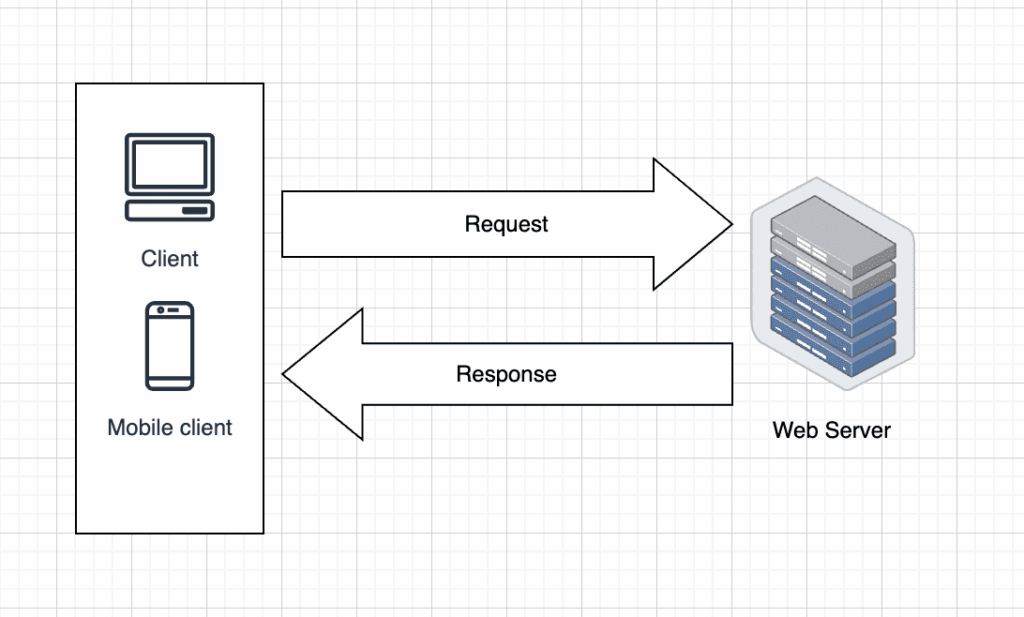
HTTP (Hypertext Transfer Protocol) defines how clients (such as browsers or crawlers) communicate with web servers.
In web crawling systems, the crawler sends HTTP requests to retrieve HTML pages, APIs, or structured data endpoints. The server then responds with an HTTP status code and content payload.
According to the official HTTP specification by the IETF, HTTP is a stateless request-response protocol.
Because HTTP is stateless, web crawlers must manage:
- Session handling
- Cookies
- Authentication tokens
- Request headers
If you’re building a production-scale crawler, understanding full crawler architecture is critical.
See our detailed guide on web crawler technology:
Web Crawler Technology: Principles, Architecture, Applications, and Risks
HTTP Methods Used in Web Crawling
HTTP methods define what action the crawler wants to perform.
The most relevant methods for web scraping include:
GET
Used to retrieve web pages or API data.
Most crawling traffic relies on GET requests.
POST
Used when submitting forms or interacting with APIs that require payload data.
HEAD
Useful for checking headers without downloading full content.
Can reduce bandwidth usage in large-scale crawling systems.
PUT / DELETE
Less common in scraping, but relevant when interacting with APIs.
Full reference:
Understanding request methods helps optimize scraping API infrastructure and avoid unnecessary blocks.
If you’re comparing self-built crawlers and managed scraping solutions, see:
What is a Web Scraping API? A Complete Guide for Developers
HTTP Status Codes in Web Crawling
Every HTTP response includes a status code indicating success or failure.
200 OK
Request succeeded.
Crawler should parse and extract content.
301 / 302 Redirect
Crawler must follow redirect logic to reach the final URL.
403 Forbidden
Indicates blocking or anti-bot detection.
May require proxy rotation or header adjustments.
404 Not Found
Page does not exist.
Crawler should mark URL as invalid.
429 Too Many Requests
Rate limiting.
Critical for large-scale scraping systems.
500 Server Error
Temporary server issue.
Retry strategy required.
Official reference:
Handling status codes correctly is essential for reliable production web scraping APIs.
HTTP Headers and Anti-Bot Detection
Modern anti-scraping systems analyze:
- User-Agent
- Accept-Language
- Cookie behavior
- TLS fingerprinting
- Request frequency
Improper header configuration often results in 403 or 429 responses.
Advanced systems simulate real browser behavior using headless browsers or managed APIs.
For production-ready scraping infrastructure, see:
What is a Web Scraping API? A Complete Guide for Developers
Best Practices for HTTP in Web Crawling
- Implement retry logic for 429 and 500 errors
- Respect robots.txt when required
- Use header rotation strategies
- Manage sessions carefully
- Monitor response codes continuously
Production environments often integrate proxy networks and distributed queue systems to handle HTTP requests at scale.
If you’re optimizing search result extraction, you may also want to review:
A Production-Ready Guide to Using SERP API
Conclusion
HTTP protocol, request methods, and status codes form the backbone of every web crawling and scraping system. Without a deep understanding of HTTP behavior, crawlers will face instability, detection, and scaling issues.
Understanding HTTP for web crawling helps developers build stable, scalable crawlers and scraping APIs that can handle modern anti-bot systems.