For a complete overview, see our web scraping API guide.
Playwright web scraping helps you crawl modern websites that rely on complex JavaScript rendering. Instead of reverse-engineering every parameter, you can load the page in a real browser engine and extract the final DOM. As a result, you spend less time fighting front-end complexity and more time building a stable data pipeline.
In this tutorial, you will learn Playwright web scraping on Node.js: installation, dynamic rendering, data extraction, login handling, pagination and infinite scroll, plus basic data cleaning and storage.
Internal reading:
Outbound references:
- Playwright official docs: https://playwright.dev/
- Playwright GitHub repo (stars): https://github.com/microsoft/playwright
Headless browser options (updated snapshot)
If you compare tools by ecosystem maturity and release cadence, Playwright remains a top choice for cross-browser automation.
| Tool | Supported Languages | Supported Browsers | GitHub Stars | Latest Release Date |
|---|---|---|---|---|
| Playwright | JavaScript, Python, C#, Java | Chromium-based browsers, Firefox, WebKit-based browsers | 60,300 | March 3, 2024 |
| Selenium | Java, Python, JavaScript, C#, Ruby | Chromium-based browsers, Firefox, WebKit-based browsers | 29,000 | February 18, 2024 |
| Puppeteer | JavaScript | Chrome, Chromium, Firefox (experimental) | 86,400 | March 15, 2024 |
| Cypress | JavaScript | Chrome, Chromium, Edge, Firefox | 45,900 | March 13, 2024 |
| chromedp | Go | Chrome | 10,200 | August 5, 2023 |
| Splash | Python | Custom engine | 4,000 | June 16, 2020 |
| Headless Chrome | Rust | Chrome, Chromium | 2,000 | January 27, 2024 |
| HTMLUnit | Java | Rhino engine | 806 | March 13, 2024 |
- Web scraping engineers most commonly use Selenium because it has the longest history, having been released in 2004 and still being updated to date, with a wealth of version fixes and tutorials accumulated. However, currently, some websites on the market have implemented corresponding anti-scraping strategies targeting Selenium scrapers. For example, when using Selenium to browse web pages, it may trigger Cloudflare’s human-machine verification or Google’s human-machine verification. On the other hand, Playwright, as a new headless browser, has underlying fingerprints that can avoid being fully detected, thus not triggering anti-scraping mechanisms. Moreover, in terms of performance, Playwright has significantly improved compared to the older Selenium:
- Selenium: Based on the WebDriver client-server model, it requires installing browser drivers and has communication delays.
- Playwright: Interacts directly with the browser kernel, with a speed increase of 30%-50% and a 40% reduction in resource consumption for concurrent testing. Playwright is a cross-language automated testing tool officially supporting four programming languages: JavaScript/TypeScript, Python, Java, and C#. This article will introduce Playwright’s web scraping, data cleaning, and common anti-scraping methods from the Node.js platform. Installation
- You need to install the latest version of Node.js 18, 20, or 22.
npm install playwright@latest
npx playwright install
Then check the version:
npx playwright --versionThe current latest version is: Version 1.53.1
Create a Project
Initialize the project using npm
npm init playwright-projetInstall dependencies
npm install playwright
npm install fs-extra
Use Playwright to get the content of the GitHub Trending page:
Content of the main.js file
const { chromium } = require('playwright');
const path = require('path');

(async () => {
  // Initialize browser
  const browser = await chromium.launch({
    headless: false, // Set to true for headless mode
    slowMo: 500,     // Slow down operations for observation
  });
  const page = await browser.newPage();

  try {
    // Navigate to GitHub Trending page
    await page.goto('https://github.com/trending', { waitUntil: 'networkidle' });

    // Wait for dynamic content to load
    await page.waitForSelector('article.Box-row');

  } catch (error) {
    console.error('Error during scraping:', error);
  } finally {
    // Close browser
    await browser.close();
  }
})();
Run it:
node main.jsWait a moment, and the system will invoke the Chrome browser to open the github.com/trending page.
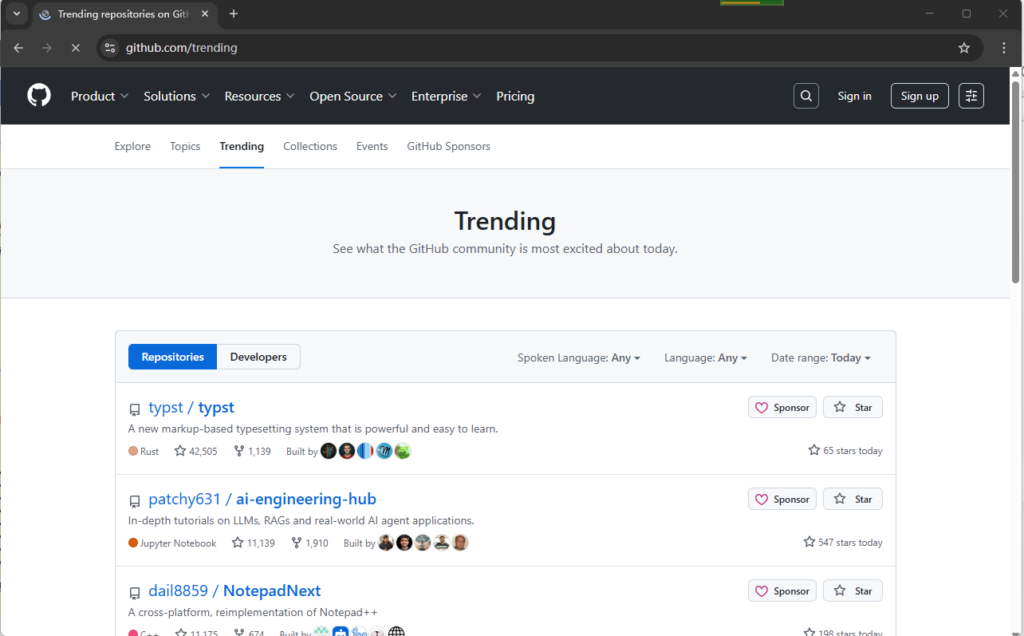
If you don’t want the browser window to pop up during program execution, you can set headless to true
  const browser = await chromium.launch({
    headless: true, // Set to true for headless mode
    slowMo: 500,     // Slow down operations for observation
  });
Then we can start to obtain the data on the page.
page.$$eval() can be used to fetch HTML page source code,$$ is equivalent to a CSS selector`document.querySelectorAll()
await page.$$eval('article.Box-row', (articles) => {
  return articles.map((article) => {
    // Process each article element
    // ...
  });
});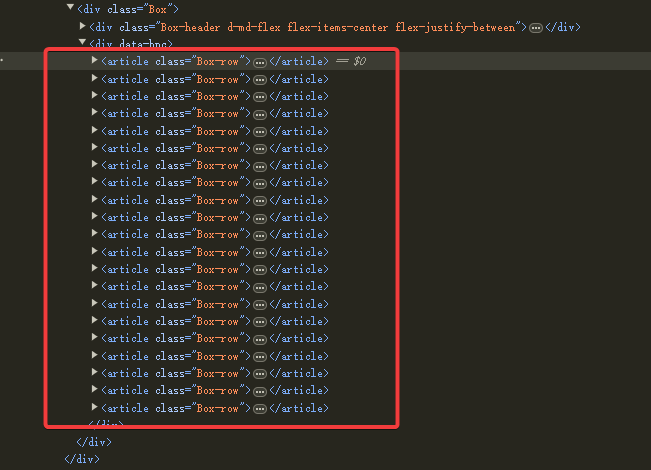
articles is an array with a length of 12, and each element represents a repository.
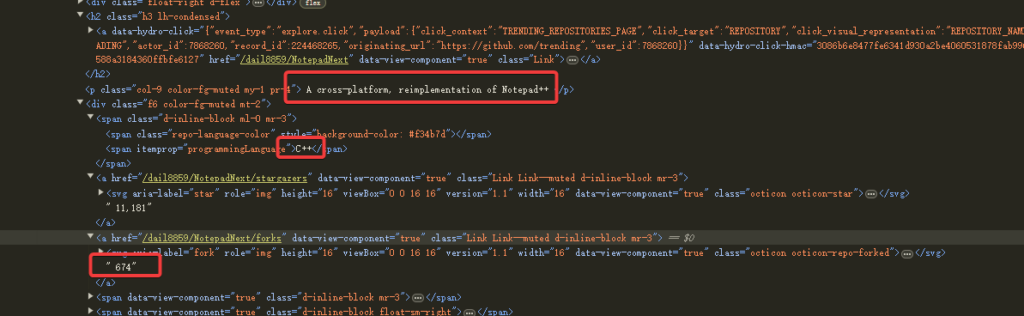
Next, start parsing the content of each repository.
return articles.map((article) => {
        // Extract project name and link
        const titleElement = article.querySelector('h2 a');
        const title = titleElement?.textContent.trim().replace(/\s+/g, ' ');
        const repoUrl = `https://github.com${titleElement?.getAttribute('href')}`;

        // Extract description
        const description = article.querySelector('p.col-9')?.textContent.trim();

        // Extract programming language and star count
        const lang = article.querySelector('span[itemprop="programmingLanguage"]')?.textContent;
        const stars = article.querySelector('a[href$="/stargazers"]')?.textContent.trim();

        // Extract stars gained today
        const todayStars = article.querySelector('span.float-right')?.textContent.trim();

        return { title, repoUrl, description, lang, stars, todayStars };
      });
    });
The above code parses the fields title, repoUrl, description, lang, stars, and todayStars.
For simplicity, we use a local JSON file to save the above data:
    console.log(`Successfully scraped ${projects.length} projects`);

    // Save data to JSON file
    const outputPath = path.join(__dirname, 'github_trending.json');
    await fs.writeJSON(outputPath, projects, { spaces: 2 });
Login Verification
If the content to be scraped requires login to access, then you need to use Playwright to automatically fill in the username and password.

// login GitHub
await page.goto('https://github.com/login');
await page.fill('input[name="login"]', 'your_username');
await page.fill('input[name="password"]', 'your_password');
await page.click('input[type="submit"]');
The above code helps you automatically log in to GitHub.
Handling Pagination
If there are many pages of paginated content on the page.
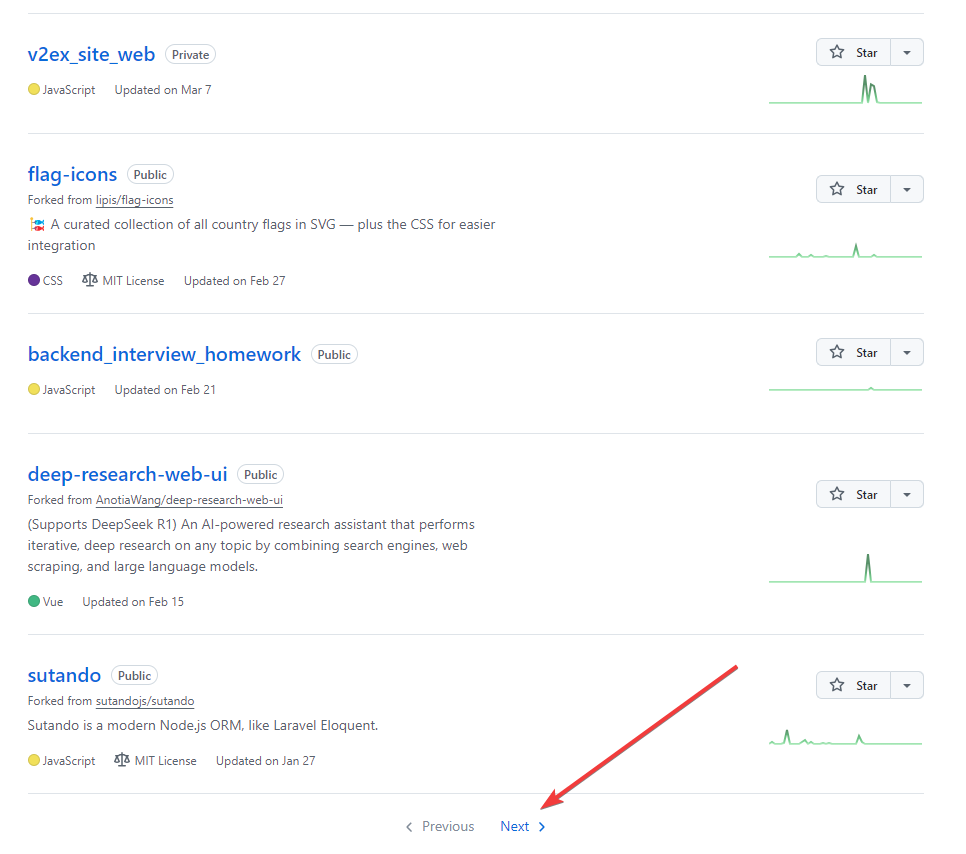
// click "Next" button
const nextButton = await page.$('a[rel="next"]');
if (nextButton) {
  await nextButton.click();
  await page.waitForLoadState();
}
Handling Dynamically Loaded Content (Infinite Scrolling)
Some web page content is not paginated by clicking buttons but automatically refreshes the content of the next page through the mouse wheel. Playwright can handle this situation easily.
// Simulate scrolling to the bottom
await page.evaluate(() => {
  window.scrollTo(0, document.body.scrollHeight);
});
await page.waitForTimeout(2000); // Wait for the content to load
Playwright Anti-Scraping Mechanisms
- Modify the User-Agent. If you don’t modify the User-Agent, Playwright’s default User-Agent is:
User-Agent: Mozilla/5.0 (Windows NT 10.0; Win64; x64) AppleWebKit/537.36 (KHTML, like Gecko) HeadlessChrome/138.0.7204.23 Safari/537.36The string HeadlessChrome in it can easily expose its traces, so it’s best to modify the User-Agent.
   const { chromium } = require('playwright');

   (async () => {
     const browser = await chromium.launch();

     // create custom User-Agent context
     const context = await browser.newContext({
       userAgent: 'Mozilla/5.0 (Windows NT 10.0; Win64; x64) AppleWebKit/537.36 (KHTML, like Gecko) Chrome/99.0.4844.84 Safari/537.36'
     });

     const page = await context.newPage();
     await page.goto('https://httpbin.org/user-agent');
     await page.screenshot({ path: 'user-agent.png' });

     await browser.close();
})();- Add random delays to avoid overly frequent requests. If you access the same URL rapidly in a short period, the server can easily detect it as a scraping program.
await page.waitForTimeout(Math.random() * 1000 + 500);- Use proxy IPs in Playwright. If you access a website too many times within a certain period, the same IP address can easily be detected and blocked by the server. In this case, you can use proxy IPs to solve this problem. Example code for using an HTTP proxy IP in Playwright:
   const { chromium } = require('playwright');

   (async () => {
     const browser = await chromium.launch({
       proxy: {
         server: 'http://proxy.example.com:8080',  // Proxy IP address
         // username: 'user',  // option:proxy username
         // password: 'pass',  // option:proxy password
       }
     });

     const page = await browser.newPage();
     await page.goto('https://api.ipify.org?format=json');
     console.log(await page.content());  // check proxy IP whether

     await browser.close();
   })();
If you are using a Socks5 proxy IP, the example code is as follows:
   const { chromium } = require('playwright');

   (async () => {
     const browser = await chromium.launch({
       proxy: {
         server: 'socks5://socks.example.com:1080',  // SOCKS5 proxy
         username: 'username',
         password: 'password'
       }
     });

     const page = await browser.newPage();
     await page.goto('https://example.com');

     await browser.close();
   })();
Playwright can also use different proxy IP addresses for different websites.
For example, use proxy IP-A for website A, proxy IP-B for website B, or don’t use a proxy for website B to save proxy IP access traffic.
   const { chromium } = require('playwright');

   (async () => {
     const browser = await chromium.launch();

     // Context 1: Use proxy A
     const context1 = await browser.newContext({
       proxy: { server: 'http://proxy-a.example.com:8080' }
     });
     const page1 = await context1.newPage();
     await page1.goto('https://example-a.com');

     // Context 2: Use proxy B
     const context2 = await browser.newContext({
       proxy: { server: 'http://proxy-b.example.com:8080' }
     });
     const page2 = await context2.newPage();
     await page2.goto('https://example-b.com');

     await browser.close();
})();- Modify Playwright fingerprint information.
Modify the screen resolution and window size.
Sometimes, front-end code checks the current window size, and if the window is too small, it may be identified as a scraping program. You can configure the Playwright browser window to the size of a normal browser window.
const context = await browser.newContext({
  viewport: { width: 1920, height: 1080 },  // simulate desktop browser
  // simulate mobile browser
  viewport: { width: 375, height: 812 }     // iPhone X szie
});
WebRTC
WebRTC can expose the real IP address, which can be disabled through extensions or custom parameters:
const { webkit } = require('playwright');

(async () => {
  const browser = await webkit.launch();
  const context = await browser.newContext({
    // inject JavaScript code to ban WebRTC
    javaScriptEnabled: true,
    permissions: ['clipboard-read', 'clipboard-write']
  });

  await page.addInitScript(() => {
    // override RTCPeerConnection
    window.RTCPeerConnection = function() {
      return {
        createDataChannel: () => {},
        createOffer: () => Promise.resolve({}),
        createAnswer: () => Promise.resolve({}),
        setLocalDescription: () => Promise.resolve({}),
        setRemoteDescription: () => Promise.resolve({}),
        addIceCandidate: () => Promise.resolve({})
      };
    };
  });
  // ...
})();
Canvas fingerprint
Modify the Canvas fingerprint
await page.addInitScript(() => {
  // modify Canvas finger print
  const originalGetImageData = CanvasRenderingContext2D.prototype.getImageData;
  CanvasRenderingContext2D.prototype.getImageData = function(x, y, width, height) {
    // add random noise
    const result = originalGetImageData.apply(this, arguments);
    const data = result.data;
    for (let i = 0; i < data.length; i += 4) {
      data[i] = data[i] + (Math.random() - 0.5) * 10;     // Red
      data[i + 1] = data[i + 1] + (Math.random() - 0.5) * 10; // Green
      data[i + 2] = data[i + 2] + (Math.random() - 0.5) * 10; // Blue
    }
    return result;
  };
});
hardware fingerprint
Modify the hardware fingerprint
await page.addInitScript(() => {
  // change CPU core number
  Object.defineProperty(navigator, 'hardwareConcurrency', {
    get: () => 4 // simulate 4 core CPU
  });

  // change member info
  Object.defineProperty(navigator, 'deviceMemory', {
    get: () => 8 // simulate 8GB memory
  });
});
Use extensions (Chromium only). You can further modify fingerprints by loading Chrome extensions:
const browser = await chromium.launch({
  headless: false,  // need to set headless false
  args: [
    '--disable-blink-features=AutomationControlled', // hide automation tool finger print
    '--load-extension=./path/to/your/extension'       // load google chrome extension
  ]
});
With this, the basic tutorial on Playwright comes to an end, adding another powerful tool to the web scraping arsenal.