
SERP API cost control is a critical challenge in production environments where search data is collected at scale.In overseas SEO monitoring, competitor analysis, market research, and other business scenarios, the SERP API (Search Engine Results Page API) serves as a core tool for data acquisition. However, “cost spiraling out of control” is a common issue in production environments—excessive duplicate requests, invalid calls, and unrestrained retries lead to surging bills, becoming a hidden burden for enterprise operations. This article will start from the root causes of soaring costs, systematically break down 6 core solutions including cache design, keyword deduplication, and sampling strategies, and combine common scenario cases with Python practical code to help you achieve refined control of SERP API costs without compromising data quality.
Why SERP Costs Spike in Production
Cost Comparison of Mainstream SERP API Providers (Per 1,000 Searches)
| Provider | Entry Price | Cost per 1k (Entry) | Cost per 1k (Scale) | Credit Expiry |
|---|---|---|---|---|
| SerpApi | $75 / mo | $15.00 | $10.00 | Yes (Monthly) |
| Zenserp | $30 / mo | $6.00 | $4.00 | Yes (Monthly) |
| DataForSEO | $50 (Deposit) | $0.60 | $0.60 | No |
| SearchCans | $18 (Prepaid) | $0.90 | $0.56 | No (6 Months) |
(refer to :SERP API Vendor Comparison )For official pricing and quota policies, see Google’s documentation on search APIs.
Most SERP API providers adopt a “pay-per-request” pricing model. The core reasons for skyrocketing costs in production environments are “invalid consumption” and “uncontrolled scaling”, which can be categorized into 4 scenarios:
1. Unrestrained Duplicate Requests
The same keyword is called multiple times within a short period. For example, an e-commerce platform repeatedly queries “best wireless headphones 2026” within an hour, while the SERP results remain essentially unchanged, resulting in over 90% of invalid paid requests.

- Case Study: A U.S. cross-border e-commerce company used the SERP API to monitor over 30,000 product keywords. Due to the lack of caching, daily duplicate requests accounted for 65% of the total, and the monthly API bill was 2.3 times higher than the reasonable level.
2. Keyword Expansion and Redundancy
The keyword library grows disorderly with business expansion, and a large number of similar keywords (e.g., “cheap coffee NYC”, “affordable coffee New York”) trigger repeated API calls, essentially fetching the same type of SERP data.
3. Unstrategic Retries on Failures
In the event of network fluctuations or API rate limiting, indiscriminate retries lead to “Overlay of invalid requests”—for instance, blindly retrying 10 times after a Google SERP API returns a 503 error, which not only wastes the budget but also triggers stricter rate limiting.
4. Indiscriminate High-Frequency Collection
A uniform collection frequency is applied to all keywords. For example, low-volatility keywords such as “historical events” are still collected on an hourly basis, even though their SERP results may remain unchanged for weeks.
SERP API Cost Control with Cache Design (TTL by Intent)
Caching is the “first line of defense” for cost control—it avoids duplicate requests by storing retrieved SERP data.
The core design principle is to “dynamically set TTL (Time-To-Live) based on keyword attributes” instead of using a one-size-fits-all approach.
1. Keyword Classification and TTL Recommendations
| Keyword Type | Core Characteristics | International Scenario Examples | Recommended TTL | Cache Value |
|---|---|---|---|---|
| Local Services | High volatility, region-sensitive | “best pizza Los Angeles”, “NYC plumber” | 1–3 hours | Avoid repeated queries for the same local keyword in a short time |
| Trending Hot Topics | Sudden changes, short lifecycle | “2026 Oscars winners”, “California wildfire update” | 15–30 minutes | Balance data freshness and cost |
| General Knowledge | Low volatility, long-term stability | “how to use Python”, “cloud computing basics” | 7–30 days | Almost no need for repeated calls |
| E-commerce Products | Medium-to-low volatility, price-linked | “wireless earbuds under $100”, “iPhone 16 review” | 6–12 hours | Adapt to product price/review update cycles |
2. Python Implementation: SERP Caching with Redis
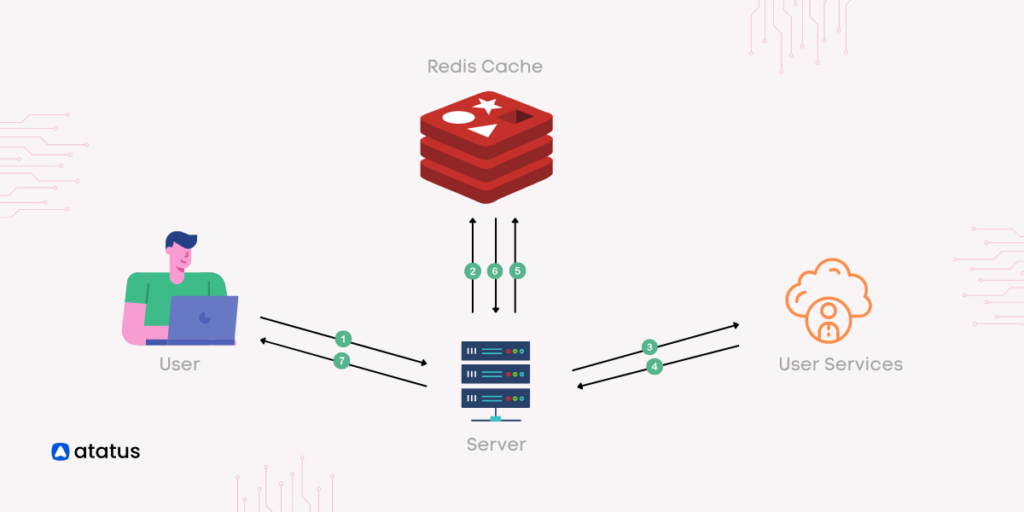
Taking the Google SERP API as an example, use Redis to store cached data and dynamically set TTL based on keyword types.
You can refer to this article: In-Memory Message Queue with Redis
Prerequisite: Install the Redis database first.
# Install dependencies
pip install redis requests google-api-python-client
Example Code:
import redis
import requests
from datetime import timedelta
from googleapiclient.discovery import build

# Initialize Redis connection (local or cloud server)
redis_client = redis.Redis(host='localhost', port=6379, db=0, decode_responses=True)

# Google SERP API configuration (replace with your API key)
GOOGLE_API_KEY = "your-google-api-key"
SERP_API_SERVICE = build('customsearch', 'v1', developerKey=GOOGLE_API_KEY)

def get_keyword_type(keyword):
    """Determine keyword type (simplified logic, extendable for business needs)"""
    local_indicators = ["NYC", "Los Angeles", "Chicago", "plumber", "restaurant", "near me"]
    trending_indicators = ["2026", "update", "winners", "latest", "breaking"]
    product_indicators = ["review", "price", "under $", "buy", "wireless", "earbuds"]

    if any(ind in keyword for ind in local_indicators):
        return "local"
    elif any(ind in keyword for ind in trending_indicators):
        return "trending"
    elif any(ind in keyword for ind in product_indicators):
        return "product"
    else:
        return "general"

def get_ttl_by_type(keyword_type):
    """Return TTL (in seconds) based on keyword type"""
    ttl_map = {
        "local": 3600,  # 1 hour
        "trending": 300,  # 5 minutes
        "product": 7200,  # 2 hours
        "general": 604800  # 7 days
    }
    return ttl_map.get(keyword_type, 86400)  # Default: 1 day

def fetch_serp_via_api(keyword, region="us"):
    """Call Google SERP API to retrieve data"""
    try:
        response = SERP_API_SERVICE.cse().list(
            q=keyword,
            cx="your-custom-search-engine-id",  # Replace with your Custom Search Engine ID
            gl=region,  # Region: us (United States), uk (United Kingdom), etc.
            num=10  # Return 10 results
        ).execute()
        return response
    except Exception as e:
        print(f"API call failed: {str(e)}")
        return None

def get_serp_data(keyword, region="us"):
    """Cache-first retrieval of SERP data: return cached data if hit, call API and cache if miss"""
    # Generate unique cache key (include keyword and region to avoid cache pollution from regional differences)
    cache_key = f"serp:{region}:{keyword.lower().strip()}"

    # Check if cache is hit
    cached_data = redis_client.get(cache_key)
    if cached_data:
        print(f"Cache hit: {cache_key}")
        return eval(cached_data)  # Use json.loads in production for security; simplified here

    # Cache miss, call API
    serp_data = fetch_serp_via_api(keyword, region)
    if not serp_data:
        return None

    # Determine keyword type and set TTL
    keyword_type = get_keyword_type(keyword)
    ttl = get_ttl_by_type(keyword_type)

    # Store in cache
    redis_client.setex(cache_key, timedelta(seconds=ttl), str(serp_data))
    print(f"Cache stored: {cache_key}, TTL: {ttl} seconds")
    return serp_data

# Call example
if __name__ == "__main__":
    # Local service keyword (pizza shops in Los Angeles)
    print(get_serp_data("best pizza Los Angeles", "us"))
    # General knowledge keyword (Python basics)
    print(get_serp_data("how to learn Python for beginners", "us"))
3. Core Cache Optimization Points
- Include a “region identifier” (e.g.,
gl=us) in the cache key to avoid sharing caches between “New York keywords” and “London keywords”; - For high-volatility local keywords, adopt “active invalidation + passive update”: proactively delete corresponding caches when merchant information is updated to ensure data accuracy;
- Regularly clean up expired caches to prevent Redis storage bloat.
SERP API Cost Control via Query Deduplication
Keyword redundancy is a major source of cost waste. By “query normalization” and “keyword bucketing”, similar keywords are merged, and only core samples are used to call the API.
1. Step 1: Query Normalization
Unify non-standard keywords into a consistent format to eliminate repeated calls caused by “superficial differences”. Core operations include:
- Case unification (e.g., “SEO Tools” → “seo tools”);
- Removal of redundant spaces and punctuation (e.g., “best coffee NYC!” → “best coffee nyc”);
- Synonym replacement (e.g., “affordable” → “cheap”, “restaurant” → “eatery”);
- Regional name standardization (e.g., “New York” → “NYC”, “Los Angeles” → “LA”).
2. Step 2: Keyword Buckets
Group normalized similar keywords into a “bucket”, and select only 1–2 core keywords per bucket to call the API; the remaining keywords reuse the results.
Python Implementation: Keyword Deduplication and Bucketing
import re
from collections import defaultdict

# Synonym mapping table (extendable)
SYNONYM_MAP = {
    "affordable": "cheap",
    "inexpensive": "cheap",
    "restaurant": "eatery",
    "plumber": "pipe repair",
    "New York": "NYC",
    "Los Angeles": "LA",
    "Chicago": "CHI"
}

def normalize_query(keyword):
    """Query normalization processing"""
    # 1. Convert to lowercase
    keyword = keyword.lower()
    # 2. Remove punctuation and extra spaces
    keyword = re.sub(r'[^\w\s]', '', keyword)
    keyword = re.sub(r'\s+', ' ', keyword).strip()
    # 3. Synonym replacement
    words = keyword.split()
    normalized_words = [SYNONYM_MAP.get(word, word) for word in words]
    return ' '.join(normalized_words)

def build_keyword_buckets(keywords):
    """Keyword bucketing: group similar keywords"""
    buckets = defaultdict(list)
    for keyword in keywords:
        # Use normalized keyword as bucket key
        normalized_key = normalize_query(keyword)
        buckets[normalized_key].append(keyword)
    return buckets

def select_core_keywords(buckets, sample_size=1):
    """Select core keywords per bucket (for API calls)"""
    core_keywords = {}
    for normalized_key, bucket in buckets.items():
        # Select the first keyword in the bucket as core (optimizable to random selection or traffic-based sorting)
        core_keywords[normalized_key] = bucket[:sample_size]
    return core_keywords

# Practical example
if __name__ == "__main__":
    # Raw redundant keyword list (international scenario)
    raw_keywords = [
        "affordable pizza NYC",
        "cheap pizza New York",
        "best eatery LA",
        "best restaurant Los Angeles",
        "inexpensive coffee CHI",
        "cheap coffee Chicago"
    ]

    # 1. Keyword bucketing
    buckets = build_keyword_buckets(raw_keywords)
    print("Keyword Bucketing Results:")
    for key, bucket in buckets.items():
        print(f"Bucket {key}: {bucket}")

    # 2. Select core keywords
    core_keys = select_core_keywords(buckets)
    print("\nCore Keywords (for API Calls):")
    for key, core in core_keys.items():
        print(f"Bucket {key}: {core}")
3. Deduplication Effect Verification
The original 6 redundant keywords are reduced to 3 core keywords for API calls after bucketing, directly cutting request volume by 50%, while core data fully covers the needs of redundant keywords.
SERP API Cost Control Using Sampling Strategies
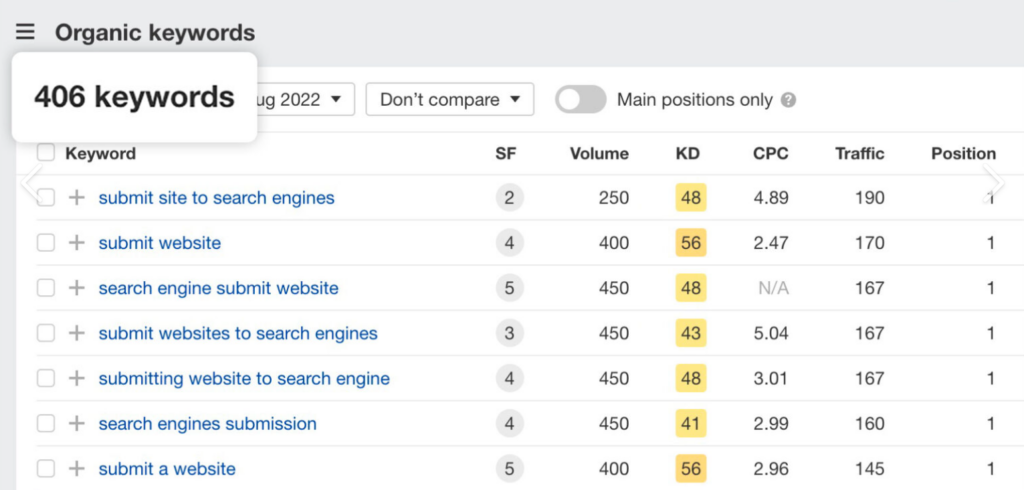
“Sampling for large-scale keyword sets” is one of the core means of SERP API cost control. The core logic is: when the size of the keyword library reaches the 100,000+ level (e.g., e-commerce full-category keywords, industry long-tail keyword libraries), full-scale API calls lead to linearly soaring costs. By scientifically extracting a representative subset of sample keywords, sample data is used to reflect overall trends, reducing API request volume by 50%–90% without affecting the validity of business analysis.
Its core value is to “balance cost and data value”—scenarios such as SEO trend analysis, market share monitoring, and algorithm change detection do not rely on 100% full-scale data; reliable conclusions can be drawn as long as the samples are representative enough.
Why sampling for large keyword sets?
- Cost Pressure: Assuming 1 million keywords with a $0.01 cost per API call, full-scale calls cost $10,000 per run; sampling 30% only costs $3,000, reducing costs by 70% directly.
- Efficiency Improvement: Full-scale collection takes hours/days, while sampling shortens it to minutes, meeting real-time monitoring needs.
- Avoid Rate Limiting: Large-scale full requests easily trigger SERP API QPS limits (e.g., Google Custom Search API has a daily limit of 1,000 calls), and sampling avoids rate-limiting risks.
1. 3 Practical Sampling Strategies
(1) Stratified Sampling: Stratify by Traffic/Importance
Classify keywords into high, medium, and low tiers based on “search volume” or “business importance”. Collect full data for high-tier keywords and sample data for medium/low tiers.
- Example: A U.S. travel platform’s keyword library (100,000 keywords)
- High tier (core keywords, e.g., “NYC to Miami flights”): 10,000 keywords, full collection;
- Medium tier (potential keywords, e.g., “affordable NYC hotels”): 30,000 keywords, 30% sampling (9,000 keywords);
- Low tier (long-tail keywords, e.g., “cheap hostels in Brooklyn”): 60,000 keywords, 10% sampling (6,000 keywords);
- Total cost reduced by 67%, with data representativeness over 95%.
(2) Random Sampling: For Keywords with No Obvious Tiering
Extract a fixed proportion of samples from the keyword library via random algorithms, suitable for scenarios with evenly distributed keywords (e.g., general industry keyword monitoring).
(3) Hot Topic-Priority Sampling: Focus on High-Value Keywords
Only collect “hot keywords with rapidly growing recent search volume”; sample non-hot keywords at a low frequency, suitable for time-sensitive businesses (e.g., news aggregation, hot topic monitoring).
2. Python Implementation: Stratified Sampling
import pandas as pd
import random

def stratified_sampling(keyword_df, layer_col="traffic_layer", sample_rates={"high": 1.0, "mid": 0.3, "low": 0.1}):
    """Stratified sampling: stratify by specified column and sample by proportion"""
    sampled_dfs = []
    for layer, rate in sample_rates.items():
        # Filter keywords for the tier
        layer_df = keyword_df[keyword_df[layer_col] == layer]
        # Sampling (rate=1.0 means full scale)
        sample_size = int(len(layer_df) * rate)
        sampled_df = layer_df.sample(n=sample_size, random_state=42) if sample_size > 0 else layer_df
        sampled_dfs.append(sampled_df)
    # Merge sampling results
    return pd.concat(sampled_dfs, ignore_index=True)

# Practical example
if __name__ == "__main__":
    # Construct international keyword DataFrame (including keyword, region, traffic tier)
    data = {
        "keyword": [
            "NYC to Miami flights", "affordable NYC hotels", "cheap hostels in Brooklyn",
            "LA to Chicago flights", "best restaurants in SF", "budget motels in Oakland",
            "London to Paris trains", "cheap hotels in Berlin", "budget hostels in Madrid"
        ],
        "region": ["us", "us", "us", "us", "us", "us", "uk", "de", "es"],
        "traffic_layer": ["high", "mid", "low", "high", "mid", "low", "high", "mid", "low"]
    }
    keyword_df = pd.DataFrame(data)

    # Stratified sampling
    sampled_df = stratified_sampling(keyword_df)
    print("Sampled Keywords (for API Calls):")
    print(sampled_df[["keyword", "region", "traffic_layer"]])
Retry Policy That Doesn’t Waste Budget
API call failures (network fluctuations, rate limiting, 5xx errors) are inevitable, but blind retries exacerbate cost waste. The core principles are “graded retries + failure thresholds + backoff strategies”.
1. Core Rules for Retry Policies
- Only retry on “temporary errors”: e.g., 503 (Service Unavailable), 504 (Gateway Timeout), 429 (Rate Limited); directly abandon retries for 400 (Bad Request), 403 (Forbidden);Google explicitly documents retry behavior and rate limiting for its APIs.
- Exponential backoff: gradually extend retry intervals (1s → 2s → 4s → 8s) to avoid frequent requests triggering stricter rate limits;
- Failure threshold: retry a single keyword a maximum of 3 times; record and abandon if exceeded to avoid infinite retries.
2. Python Implementation: Retry Function with Exponential Backoff
import time
import requests
from tenacity import retry, stop_after_attempt, wait_exponential, retry_if_exception_type

# Define retryable exception types (temporary errors)
RETRY_EXCEPTIONS = (
    requests.exceptions.ConnectionError,
    requests.exceptions.Timeout,
    requests.exceptions.HTTPError  # Only retry on 5xx errors (filter further below)
)

def is_retryable_error(response):
    """Determine if an HTTP error is retryable (5xx or 429)"""
    if response.status_code == 429:
        return True
    return 500 <= response.status_code < 600

@retry(
    stop=stop_after_attempt(3),  # Max 3 retries
    wait=wait_exponential(multiplier=1, min=1, max=8),  # Exponential backoff: 1s → 2s → 4s
    retry=retry_if_exception_type(RETRY_EXCEPTIONS)
)
def fetch_serp_with_retry(keyword, region="us"):
    """SERP API call with retry policy"""
    url = "https://customsearch.googleapis.com/customsearch/v1"
    params = {
        "q": keyword,
        "cx": "your-custom-search-engine-id",
        "gl": region,
        "key": "your-google-api-key"
    }

    response = requests.get(url, params=params, timeout=10)
    # Check if HTTP error is retryable
    if response.status_code >= 400:
        if is_retryable_error(response):
            print(f"API returned retryable error: {response.status_code}, retrying...")
            response.raise_for_status()  # Trigger retry
        else:
            print(f"API returned non-retryable error: {response.status_code}, abandoning retry")
            return None

    return response.json()

# Call example
if __name__ == "__main__":
    print(fetch_serp_with_retry("best wireless earbuds 2026", "us"))
Monitoring: Spend Alerts + Request Anomaly Detection
Cost control requires “real-time monitoring”—track API spending, request volume, and error rates to detect anomalies and stop losses in a timely manner.
1. Core Monitoring Metrics
- Daily/weekly/monthly spending: compare against budget thresholds and trigger email/SMS alerts when over budget;
- Abnormal request volume: sudden 20%+ increase in daily requests (may indicate code bugs or keyword leaks);
- Error rate: 429 (Rate Limited) or 5xx error rate exceeding 5% requires adjusting retry strategies or expanding API quotas;
- Cache hit rate: target ≥80%; optimize cache design (e.g., adjust TTL, supplement keyword classification) if below 60%.
2. Python Implementation: Simple Spending Monitoring Script
import pandas as pd
from datetime import datetime, timedelta

# Simulate API call logs (read from database/log system in production)
def load_api_call_logs():
    """Load API call logs (including timestamp, keyword, region, cost)"""
    data = {
        "call_time": pd.date_range(start="2026-01-01", end="2026-01-07", periods=1000),
        "keyword": ["best pizza NYC"] * 200 + ["wireless earbuds under $100"] * 300 + ["how to learn Python"] * 500,
        "region": ["us"] * 800 + ["uk"] * 200,
        "cost": [0.01] * 1000  # Assume $0.01 cost per call
    }
    return pd.DataFrame(data)

def monitor_serp_spend(budget_threshold=10.0):
    """Monitor SERP API spending and trigger alerts when over budget"""
    logs = load_api_call_logs()
    # Calculate today's spending
    today = datetime.now().date()
    today_logs = logs[logs["call_time"].dt.date == today]
    today_spend = today_logs["cost"].sum()

    # Calculate weekly spending
    week_start = today - timedelta(days=today.weekday())
    week_logs = logs[logs["call_time"].dt.date >= week_start]
    week_spend = week_logs["cost"].sum()

    # Output monitoring results
    print(f"Today's Spend: ${today_spend:.2f}, Weekly Spend: ${week_spend:.2f}")

    # Over-budget alert
    if today_spend > budget_threshold:
        print(f"⚠️ Today's spend exceeds threshold (Threshold: ${budget_threshold})! Please check immediately.")
        # Add email/SMS alert logic in production
        # send_alert_email(f"SERP API Today's Spend Exceeds Budget: ${today_spend:.2f}")

    # Calculate cache hit rate (assume cache flag is included in logs)
    # In production, record cache hits in call logs
    cache_hit_rate = 0.85  # Simulate 85% hit rate
    if cache_hit_rate < 0.6:
        print(f"⚠️ Cache hit rate is too low ({cache_hit_rate*100:.1f}%)! Optimize cache design.")

# Execute monitoring
if __name__ == "__main__":
    monitor_serp_spend(budget_threshold=10.0)  # Set daily budget to $10
3. Advanced Monitoring Tools
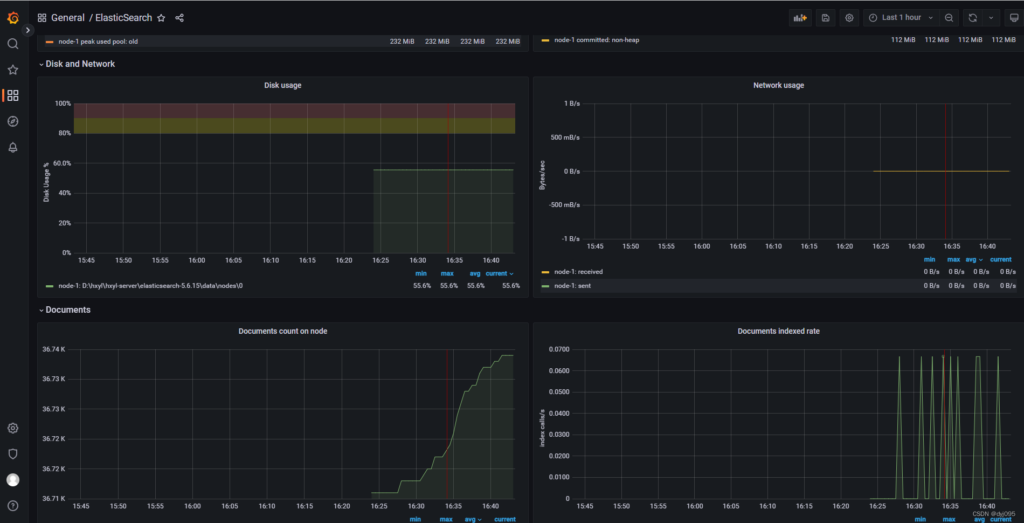
- Build a visual monitoring dashboard with Prometheus + Grafana to display real-time trends of spending, request volume, and error rates;
- Integrate the ELK stack to analyze request logs and identify high-frequency redundant keywords;
- Set up blacklists for abnormal requests (e.g., a large number of calls from the same IP in a short time) to avoid malicious consumption.
Link Back: Production Guide
To implement the above solutions in production environments, follow the principle of “phased implementation + continuous optimization” to avoid risks from one-time overhauls:
1. Phase 1: Basic Cost Control (1–2 Weeks)
- Deploy Redis caching and set basic TTL based on keyword types;
- Implement query normalization and simple keyword bucketing to eliminate obvious redundancy;
- Configure basic monitoring alerts (spending, error rate).
2. Phase 2: Refined Optimization (2–4 Weeks)
- Optimize caching strategies: adjust TTL based on business data and add active invalidation mechanisms;
- Introduce stratified sampling for large-scale keyword library collection;
- Improve retry strategies and integrate API rate-limiting feedback (e.g., read the Retry-After response header on 429 errors).
3. Phase 3: Continuous Iteration (Long-Term)
- Regular review: analyze API spending composition and eliminate low-value keywords;
- Dynamic adjustment: optimize cache TTL and sampling ratios based on search engine algorithm updates and business requirement changes;
- Permission control: restrict the scope of API key usage to avoid malicious calls from leaks.
Key Takeaways for SERP API Cost Control
Continuous monitoring is essential to detect anomalies and enforce budget governance.
Caching with intent-based TTLs can eliminate over 60% of duplicate SERP API requests.
Keyword normalization and bucketing reduce redundant queries without losing analytical coverage.
Sampling strategies enable scalable SERP monitoring while cutting costs by up to 70%.
Intelligent retry policies prevent budget waste caused by blind retries.
Conclusion
The core of SERP API cost control in production environments is to reduce invalid requests—avoid duplicate calls with caching, merge redundant keywords with deduplication, lower large-scale collection costs with sampling, reduce waste with intelligent retries, and stop losses in a timely manner with real-time monitoring. These solutions can reduce API costs by 50%–80% without sacrificing data quality.
For overseas businesses, optimizing caching and sampling strategies based on regional keyword characteristics (e.g., regional standardization, hot topic trends) further enhances cost control effectiveness. It is recommended to start with basic caching and deduplication during implementation, iterate and optimize gradually, and ultimately achieve a balance between “maximizing data value” and “minimizing costs”.
Related Guides
Production strategies for controlling SERP API spend
What is a Web Scraping API? A Complete Guide for Developers
A Production-Ready Guide to Using SERP API
Bloom Filter for Web Scraping Deduplication: Principle, Python, and Redis