
Web Scraping API for AI training data is now a core infrastructure for building large-scale, compliant, and high-quality AI datasets. In AI model training, high-quality and compliant training data is the core factor determining model performance.This article focuses on a specific aspect of web scraping APIs.For a complete overview, see our web scraping API guide.
Web Scraping APIs enable teams to efficiently and reliably collect this data.which can significantly reduce the cost of AI training data collection and improve data acquisition efficiency. This guide first defines AI training data in web scenarios.It then breaks down the full workflow—from data source selection to cleaning and compliance—using practical examples.Meanwhile, it aligns with search engine indexing preferences to clearly present core knowledge points.
I. Web Scraping API for AI Training Data: Core Definition in Web Scenarios
AI training data in web scenarios refers to various structured, semi-structured, and unstructured data collected from web carriers such as web pages, APIs, and mini-programs via Web Scraping APIs, used to train AI models (e.g., natural language processing, computer vision, recommendation systems). Unlike traditional training data, web-sourced training data features “massiveness, real-time nature, and diversity,” but also has issues such as “high noise, messy formats, and significant compliance risks.”
For example: To train an “AI for sentiment analysis of product reviews,” its core training data can include product reviews (text data), user ratings (structured data), and review images (image data) collected from an e-commerce platform via a Web Scraping API. To train a “news classification AI,” one can collect article titles, full texts, and category tags from various news websites via an API—all of which fall under AI training data in web scenarios.
II. Data Source Selection: Distinguishing High-Quality Signals from Noise Sources
The quality of data sources directly determines the training effectiveness of AI models. When collecting AI training data using Web Scraping APIs, prioritize data sources with “high-quality signals” and avoid “noise sources” to ensure data usability and accuracy.
2.1 Core Signals of High-Quality Data Sources
High-quality data sources must meet three core criteria, which are key signals for selection:
- Strong data relevance: Highly aligned with AI training objectives (e.g., for training medical AI, prioritize web data from authoritative medical websites and academic journals);
- High structural integrity: Web pages with standardized layouts and clear tags (e.g., e-commerce product pages with distinct tags for price, title, and specifications), facilitating API parsing and extraction;
- Stable data updates: Data sources updated regularly to meet the real-time data needs of AI model iteration (e.g., public opinion analysis AI requires real-time news and social media data).
2.2 Common Noise Data Sources
Noisy data interferes with AI model training and reduces model accuracy. Focus on avoiding the following types of noise sources:
- Advertising and pop-up content: Pop-up ads and floating ads on web pages are irrelevant to training objectives and count as invalid noise;
- Bot-generated content: Such as spam replies on some forums or auto-generated pseudo-original articles—this data has no practical value;
- Format-chaotic web pages: Static web pages without standardized tags or messy layouts are difficult to parse after API collection and prone to extracting invalid information;
- Duplicate mirror websites: Multiple websites with identical content (e.g., mirror news sites) generate a large amount of duplicate data after collection.
For instance: When training a “tourist attraction recommendation AI,” prioritize formal travel platforms like Ctrip and Mafengwo (high-quality signals: structured data for attraction reviews, geographic locations, prices, etc.), and avoid unqualified travel information pop-up websites (noise sources: excessive ads, messy data with no practical reference value).
III. Web Scraping API for AI Training Data: Collection Pipeline from Crawling to Deduplication
An AI training data pipeline built on Web Scraping APIs follows a clear workflow:Crawl → Store Raw Data → Parse → Clean → Deduplicate. Each step must balance efficiency and data quality. Below is a breakdown of key operations for each link with practical examples.
3.1 Step 1: Crawl – Efficient Collection via API
Crawling is the starting point of the collection pipeline. Web Scraping APIs can replace traditional crawlers to avoid IP bans and anti-crawling restrictions, enabling efficient and stable web data collection. The core is to configure API parameters, specifying crawl targets (URL lists), crawl frequency, request header information, etc.
Example: Using the Scrapy Cloud API (a commonly used Web Scraping API) to crawl article data from a tech blog (for training text generation AI), with core configurations as follows:
The following is specific Python practical code for the Scrapy Cloud API (can be copied and run directly), including dependency installation, parameter configuration, and the full data crawling workflow. It has clear comments and is adapted to the above tech blog collection scenario:
# 1. Install dependency library (Scrapy Cloud official SDK)
# pip install scrapinghub

# 2. Import dependencies
from scrapinghub import ScrapinghubClient

# 3. Initialize the client (replace with your Scrapy Cloud API key and project ID)
# API key retrieval: Scrapy Cloud Console → Account → API Keys
# Project ID retrieval: Scrapy Cloud Console → Corresponding Project → Settings → Project ID
client = ScrapinghubClient('YOUR_SCRAPY_CLOUD_API_KEY')
project = client.get_project('YOUR_PROJECT_ID')

# 4. Configure crawl parameters (corresponding to the scenario above: collect tech blog articles)
crawl_params = {
    'url_list': ['https://xxx.tech/blog'],  # Target blog URL (replace with actual address)
    'crawl_delay': 1,  # 1-second crawl delay to avoid anti-crawling
    'headers': {
        'User-Agent': 'Mozilla/5.0 (Windows NT 10.0; Win64; x64) AppleWebKit/537.36 (KHTML, like Gecko) Chrome/120.0.0.0 Safari/537.36',
        'Accept-Language': 'zh-CN,zh;q=0.9'  # Simulate browser language to improve crawl success rate
    },
    'allowed_domains': ['xxx.tech'],  # Allowed crawl domains to prevent excessive crawling
    'extract_fields': ['title', 'content', 'author', 'publish_time']  # Target fields to extract
}

# 5. Run the crawler task (Scrapy Cloud requires creating the corresponding crawler in advance and binding the project ID)
spider_name = 'tech_blog_spider'  # Replace with the crawler name you created in Scrapy Cloud
job = project.jobs.run(spider_name, job_args=crawl_params)

# 6. Retrieve and print crawl results (structured data, directly usable for subsequent parsing and cleaning)
print("Crawl Task ID:", job.id)
print("Crawl Status:", job.status)
# Iterate over crawl results and output the first 5 entries (to avoid excessive output)
for item in job.items.iter(count=5):
    print("Collected Article Data:", item)
Supplementary Notes: Complete 3 preparation steps before running (to ensure the code executes normally):
① Register a Scrapy Cloud account, create a project, and obtain the API key and project ID;
② Create the corresponding crawler (can be written based on the Scrapy framework and uploaded to Scrapy Cloud);
③ Replace all “YOUR_XXX” placeholders in the code with actual information.
Additional Supplement: If you do not need to build a Scrapy project, you can use the more lightweight Apify API (no local crawler deployment required). Below is practical code for the same scenario:
# 1. Install dependency library (Apify official SDK)
# pip install apify-client

# 2. Import dependencies
from apify_client import ApifyClient

# 3. Initialize the client (replace with your Apify API token)
# API token retrieval: Apify Console → Account → Integrations → API Token
client = ApifyClient('YOUR_APIFY_API_TOKEN')

# 4. Configure crawl parameters (collect tech blog articles using Apify's built-in Web Scraper crawler)
run_input = {
    "startUrls": [{"url": "https://xxx.tech/blog"}],  # Target blog URL (replace with actual address)
    "pseudoUrls": [{"purl": "https://xxx.tech/blog/[.*]"}],  # Restrict crawling to article detail pages within the blog
    "selectors": [  # Configure extraction rules for target fields (corresponding XPath, consistent with parsing rules above)
        {"id": "title", "selector": "//h1[@class='blog-title']", "type": "text"},
        {"id": "content", "selector": "//div[@class='blog-content']", "type": "text"},
        {"id": "author", "selector": "//span[@class='blog-author']", "type": "text"},
        {"id": "publish_time", "selector": "//time[@class='publish-time']", "type": "text"}
    ],
    "crawlDepth": 1,  # Crawl depth (1 means only crawl list pages + detail pages)
    "maxConcurrency": 5,  # Maximum concurrency to avoid excessive crawling
}

# 5. Run the crawler and retrieve results (use Apify's built-in "web-scraper" crawler, no customization needed)
run = client.actor("apify/web-scraper").call(run_input=run_input)

# 6. Extract and print structured data (directly usable for subsequent cleaning and deduplication)
for item in client.dataset(run["defaultDatasetId"]).iterate_items():
    print("Collected Article Data:", item)
    # Data can be directly written to a database (e.g., PostgreSQL) to connect to the storage link below
Advantages of Apify API: No need to write custom crawlers, built-in multiple crawler templates for quick implementation of collection requirements; automatic handling of anti-crawling and IP rotation, high stability, suitable for non-professional crawler developers.
3.2 Step 2: Store Raw Data – Preserve Complete Data Sources
Teams must store raw crawling data in full and should not discard it directly.—raw data serves as a “traceability basis” in case of errors during subsequent parsing and cleaning, and also facilitates reprocessing data later. Distributed storage (e.g., MinIO) or relational databases (e.g., PostgreSQL) are recommended for storage, with crawl timestamps and source URLs labeled.
Example: Storing the raw HTML data of the above tech blog in a PostgreSQL database, with the following data table structure:
- id: Unique data identifier (auto-increment);
- raw_html: Raw HTML content of the crawled web page;
- source_url: Data source URL;
- crawl_time: Crawl timestamp (format: YYYY-MM-DD HH:MM:SS);
- status: Crawl status (success/fail).
3.3 Step 3: Parse – Extract Target Data
Parsing is the core step of extracting target information required for AI training from raw data. Web Scraping APIs usually have built-in parsing capabilities, allowing you to specify extraction rules via XPath or CSS selectors to convert unstructured/semi-structured data into structured data.
Example: Based on the crawled HTML of the tech blog above, use the API’s XPath parsing function to extract article titles, full texts, authors, and publication times (target data for text generation AI training):
- Article title: //h1[@class=”blog-title”]/text();
- Article content: //div[@class=”blog-content”]/p/text();
- Parsed output format: JSON (facilitates subsequent cleaning and use), example: {“title”: “Practical Guide to Web Scraping API”, “content”: “In AI training data collection…”, “author”: “Zhang San”, “publish_time”: “2024-05-01”}.
3.4 Step 4: Clean – Remove Invalid Information
Structured data after parsing still contains noise (e.g., extra spaces, special characters, invalid values) and needs to be removed through cleaning to ensure data consistency. Specific cleaning techniques are detailed below; a simple example is provided here: For the parsed article content above, remove HTML tags, extra spaces, and special characters (e.g., ” “, “★”), and correct typos.
3.5 Step 5: Deduplicate – Avoid Data Redundancy
Web data is prone to duplicate content (e.g., the same article reposted on multiple websites). Duplicate data increases AI training costs and reduces efficiency, so teams must apply deduplication.Common deduplication methods include hash algorithms (e.g., MD5) and similarity matching.
Example: For parsed and cleaned article content, calculate the hash value of each article using the MD5 algorithm. If two articles have the same hash value, they are judged as duplicate data—retain one and delete the rest. For articles with a similarity exceeding 90% (e.g., reposted articles with modified paragraphs), judge via cosine similarity algorithm and deduplicate manually or automatically.
IV. Data Cleaning Techniques: Normalization, Similarity Matching, and Spam Filtering
Data cleaning is a key link to improve the quality of AI training data. For data collected by Web Scraping APIs, the following three core cleaning techniques are commonly used, explained with practical examples.
4.1 Normalization – Unify Data Formats
The core of normalization is converting inconsistently formatted data into a unified standard for easy recognition and training by AI models. Common application scenarios include date formats, text case, numerical units, and encoding formats.
Example 1 (Date Normalization): Parsed article publication times have chaotic formats (e.g., “2024/05/01”, “05-01-2024”, “May 1, 2024”)—unify them into the “YYYY-MM-DD” format (e.g., “2024-05-01”) through cleaning;
Example 2 (Text Normalization): Collected product names have inconsistent formats (e.g., “iPhone 15 Pro”, “iphone 15 pro”, “IPHONE15PRO”)—unify them into lowercase (“iphone 15 pro”) to prevent the AI model from judging the same product as different categories.
4.2 Similarity Matching – Remove Near-Duplicate Data
In addition to completely duplicate data, web-collected data contains a large amount of near-duplicate data (e.g., reposted articles with modified titles or a small number of paragraphs). Similarity matching is required to identify and deduplicate such data, with common algorithms including cosine similarity and edit distance.
Example: Use Python’s Scikit-learn library to calculate the cosine similarity of two article full texts:
- Step 1: Convert article full texts into word vectors (using the TF-IDF algorithm);
- Step 2: Calculate the cosine similarity of the word vectors of the two articles, set a threshold of 0.9 (similarity ≥ 0.9 is judged as near-duplicate);
- Result: If the cosine similarity between Article A and Article B is 0.92, they are judged as near-duplicate—retain the original article (Article A) and delete the reposted article (Article B).
Reference Article: Text Similarity Detection in Web Scraping Data Cleaning (Part 1)
4.3 Spam Filtering – Eliminate Invalid Noise
Web data contains a large amount of spam (e.g., ads, irrelevant comments, malicious content), which needs to be eliminated through keyword matching, rule-based filtering, machine learning filtering, etc., to ensure data relevance to AI training objectives.
Example: When training an “education-focused AI model” and collecting comment data from an education forum, filter spam through the following rules:
- Keyword filtering: Eliminate comments containing advertising keywords such as “free to claim”, “click to jump”, and “advertisement”;
- Length filtering: Eliminate meaningless comments with fewer than 5 words (e.g., “Good”, “Passing by”) or more than 500 words;
- Rule-based filtering: Eliminate comments containing special symbols, garbled characters, or irrelevant topics (e.g., games, entertainment).
For more detailed content, refer to: LLM Training Data Cleaning Tutorial
V. Dataset Version Control and Reproducibility
AI model training is an iterative process, and the corresponding training datasets also require version control—to avoid “unreproducible training results” caused by data updates or cleaning rule modifications, and to facilitate tracing data sources and rolling back to historical versions. The core is to label versions for collected and cleaned datasets and record modifications for each version.
Example: Use DVC (Data Version Control) for version management of AI training datasets, with core operations as follows:
- Version labeling: After each collection/cleaning, label a version number (e.g., v1.0, v1.1) and record version descriptions (e.g., “v1.0: Initial collected tech article dataset containing 1000 entries; v1.1: Deduplicated and normalized v1.0, retaining 800 valid entries”);
- Modification records: Document modifications for each dataset version (e.g., adjusted cleaning rules, added/removed data sources, modified deduplication thresholds);
- Reproducibility assurance: Store collection parameters (API configurations, URL lists) and cleaning rules (code, thresholds) corresponding to each dataset version to ensure that rerunning the collection pipeline later can reproduce the corresponding dataset version;
- Version rollback: If a dataset version yields poor training results, roll back to a historical version (e.g., from v1.2 to v1.1) via DVC and retrain the model.
Key Point: The core of version control is “traceability and reproducibility”. Each dataset version must be associated with full-process information of collection and cleaning to avoid “unknown data sources and unrecorded modifications”.
VI. Data Annotation and Metadata Management (Licenses, Timestamps, Source URLs)
Annotation and metadata management of AI training data not only improve data usability but also provide a basis for subsequent compliance audits—metadata must fully record core data information, and annotation must add labels to data in line with AI training objectives (to facilitate model classification training).
6.1 Metadata Management: Core Information Must Be Recorded
Metadata is data that describes other data. For AI training data collected by Web Scraping APIs, the following core metadata must be recorded to ensure data traceability and compliance:
- Source information: Data source URL, website name, crawl timestamp (accurate to the second);
- License information: Copyright license corresponding to the data (e.g., CC BY-NC 4.0, All Rights Reserved), clarifying data usage rights;
- Processing information: Collection API name, cleaning rule version, deduplication threshold, annotator (if any);
- Quality information: Data accuracy rate, deduplication rate, noise ratio (to facilitate evaluating data quality).
Example: Adding metadata to an e-commerce product review dataset, with the metadata format for each entry as follows: {“source_url”: “https://xxx.com/product/123”, “crawl_time”: “2024-05-01 14:30:00”, “license”: “CC BY-NC 4.0”, “clean_rule_version”: “v1.0”, “accuracy”: 98%}
6.2 Data Annotation: Align with AI Training Objectives
Data annotation is adding “labels” to data to help AI models identify data categories and features. Annotation content must align with specific AI training objectives, with common annotation tools including LabelStudio and LabelImg.
Example 1 (Sentiment Analysis AI Annotation): Label collected product review data with “Positive”, “Negative”, or “Neutral” tags (e.g., “This phone has great battery life” labeled as “Positive”, “Severe overheating” labeled as “Negative”);
Example 2 (Image Recognition AI Annotation): Label animal image data collected via Web Scraping APIs with animal categories (e.g., “Cat”, “Dog”, “Rabbit”) and features (e.g., “Black Cat”, “White Dog”).
VII. Web Scraping API for AI Training Data: LLM Training Data Formats
7.1 Plain Text Format: Suitable for Pretraining / Text Continuation Tasks
Plain text format is the core data format for the pretraining phase of LLMs. Its goal is to enable the model to learn language grammar, semantics, and knowledge associations, requiring no annotated labels and belonging to unsupervised learning data.
7.1.1 Common Format Types
| Format Suffix | Characteristics | Applicable Scenarios |
|---|---|---|
.txt | Plain text strings with no structured information | Small-scale pretraining, text continuation tasks |
.jsonl | One JSON object per line, supporting batch streaming processing | Large-scale pretraining, industrial-grade data input |
.csv | Tabular format, can store text + simple metadata | Pretraining requiring association with a small amount of metadata (e.g., source, length) |
7.1.2 Format Examples
.txt Format Example
(Tech blog text for general pretraining)
Web Scraping API is an efficient tool for collecting AI training data, which can avoid IP bans associated with traditional crawlers. In practical applications, developers can achieve stable data collection by configuring crawl frequency and request header information..jsonl Format Example (Plain text with metadata for traceability)
{"text": "Web Scraping API is an efficient tool for collecting AI training data, which can avoid IP bans associated with traditional crawlers.", "source": "tech-blog", "length": 68}
{"text": "Data cleaning is a key step to improve the quality of LLM training data, including normalization, deduplication, and spam filtering.", "source": "ai-paper", "length": 59}
7.1.3 Core Requirements
- Unified encoding as UTF-8 to avoid garbled characters;
- Remove special symbols in text (e.g.,
\n\nrepeated line breaks, space placeholders); - The
.jsonlformat must ensure one independent JSON object per line (no line breaks within objects).
7.2 Instruction Tuning Format: Suitable for SFT (Supervised Fine-Tuning) Tasks
Instruction Tuning (SFT) is a core link to align LLMs with human instruction intent. The data format must clearly define three elements: instruction, input, and output. The mainstream format is the Alpaca format, widely used for fine-tuning open-source models such as Llama and Qwen.
7.2.1 Standard Structure
{
    "instruction": "Instruction content (task the model needs to perform)",
    "input": "Task input (optional, e.g., article to summarize, text to translate)",
    "output": "Ideal output of the model (manually annotated or high-quality generated results)"
}
7.2.2 Core Requirements
instructionmust be clear and unambiguous, avoiding vague expressions (e.g., use “Summarize this text” instead of “Process this text”);outputmust accurately match instruction requirements with no redundant information;- Batch data is recommended to be stored in
.jsonlformat for direct reading by training frameworks (e.g., LLaMA Factory).
7.3 Conversation Tuning Format: Suitable for Multi-Turn Conversation Tasks
Conversation tuning is key to enabling LLMs to have multi-turn interaction capabilities. The data format must distinguish between role and conversation content, with the mainstream format being the ShareGPT format, supporting single-turn/multi-turn conversation scenarios.
7.3.1 Standard Structure
{
    "conversations": [
        {"from": "user", "value": "User's question/instruction"},
        {"from": "assistant", "value": "Model's reply"},
        {"from": "user", "value": "User's follow-up question"},
        {"from": "assistant", "value": "Model's second reply"}
    ]
}
7.3.2 Core Requirements
- Roles only support
user(user),assistant(model), andsystem(system prompt, optional); - Multi-turn conversations must ensure role alternation (no consecutive same roles);
- The
systemrole is used to set the model’s identity (e.g., “You are a technical expert in the field of Web Scraping”) and must be placed at the beginning of the conversation.
7.4 Special Format: Suitable for Multimodal LLM Training
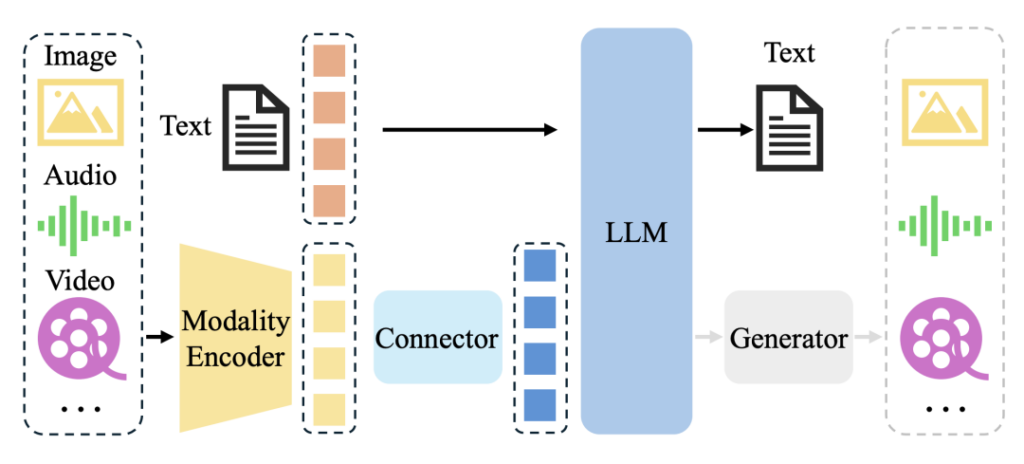
Multimodal LLMs (e.g., GPT-4V, Qwen-VL) require simultaneous training of text and image/audio data. The data format must associate text descriptions with modal data paths/URLs, with the mainstream format being JSONL + local file paths.
7.4.1 Example (Image-Text Multimodal Training Data)
{
    "text": "This is a collection flow chart of Web Scraping API, showing the full process from data source selection to compliance verification",
    "image": "./data/images/scraping_flow.png",
    "source": "tech-docs"
}
7.5 Principles for Selecting LLM Training Data Formats
- Pretraining phase: Prioritize plain text in
.jsonlformat for batch processing and traceability; - Instruction tuning phase: Use the Alpaca format to adapt to mainstream fine-tuning frameworks;
- Conversation tuning phase: Use the ShareGPT format to support training of multi-turn interaction capabilities;
- Regardless of the format, ensure unified data encoding, no special characters, and standardized structure.
VIII. Summary: Key Considerations for Using Scrape APIs for LLM Training Data
8.1 Data Source and Quality Verification
Confirm whether the data sources of the Scrape API are strongly relevant to LLM training objectives; prioritize APIs that output structured, low-noise data. Verify whether the data has duplicates, ads, garbled characters, etc.—even if the API claims “already cleaned”, secondary random checks are required to avoid low-quality data contaminating the model from the source.
8.2 Format Adaptation to LLM Training Scenarios
Convert API output data into corresponding formats based on the training phase (pretraining / instruction tuning / conversation tuning): use .jsonl plain text format for pretraining, Alpaca format (instruction-input-output) for instruction tuning, and ShareGPT format (role-content) for conversation tuning. Unify encoding to UTF-8 to avoid training interruptions due to format incompatibility.
8.3 Rigorous Compliance Verification
Verify that the API data has legal authorization.Always confirm the copyright status of each data source.Check whether the data contains private information such as phone numbers and ID numbers—immediately remove any such information if found. Verify whether the API complies with the robots.txt protocol of the target website to avoid legal risks.Robots Exclusion Protocol (RFC 9309)
8.4 Version and Traceability Management
Record version information of API data (e.g., API version, data crawl timestamp) and implement dataset version control using tools like DVC. Save API call parameters and data processing rules to ensure that training data can be reproduced during subsequent model iterations.
8.5 Security and Content Filtering
Filter malicious and non-compliant text in API data to avoid training models with biased values. For image-text data provided by multimodal APIs, additionally verify the compliance of image content and remove sensitive or low-quality images.
8.6 Cost and Efficiency Control
Choose API packages with on-demand billing or high cost-effectiveness to control call frequency and data volume, avoiding unnecessary costs. Prioritize APIs that support breakpoint resumption and batch export to improve data acquisition efficiency.
If you are comparing API-based data extraction with traditional crawling approaches, this detailed comparison can help.
Related Guides
10 Efficient Data Cleaning Methods You Must Know for Python Web Scraping
News Content Extraction for Web Scraping: GNE and Newspaper3k (Part 3)
Top Data Cleaning Techniques for Web Scraping Engineers (Part 1)
pandas Data Cleaning for Web Scraping: From HTML Tables to Clean Datasets
Batch Processing in Big Data: Architecture, Frameworks, and Use Cases